Follow these steps to connect CompanyEnrich and enrich company data directly inside Intercom.
CompanyEnrich is designed to go beyond traditional data providers by:
Enriching companies that can’t be enriched with traditional databases
Providing data points not commonly found elsewhere, such as B2B / B2C categorization and nuanced company context
Filling gaps where company domains, industries, or classifications are missing or incomplete
By connecting CompanyEnrich to Intercom, you can automatically enrich new companies and users, associate contacts with their companies, and display rich qualification data directly inside Intercom profiles and conversations. This enables sales, marketing, and support teams to qualify, segment, and prioritize leads without relying on incomplete profiles.
Follow the steps below to get started.
Log in to your CompanyEnrich account.
Go to Integrations from the main navigation.
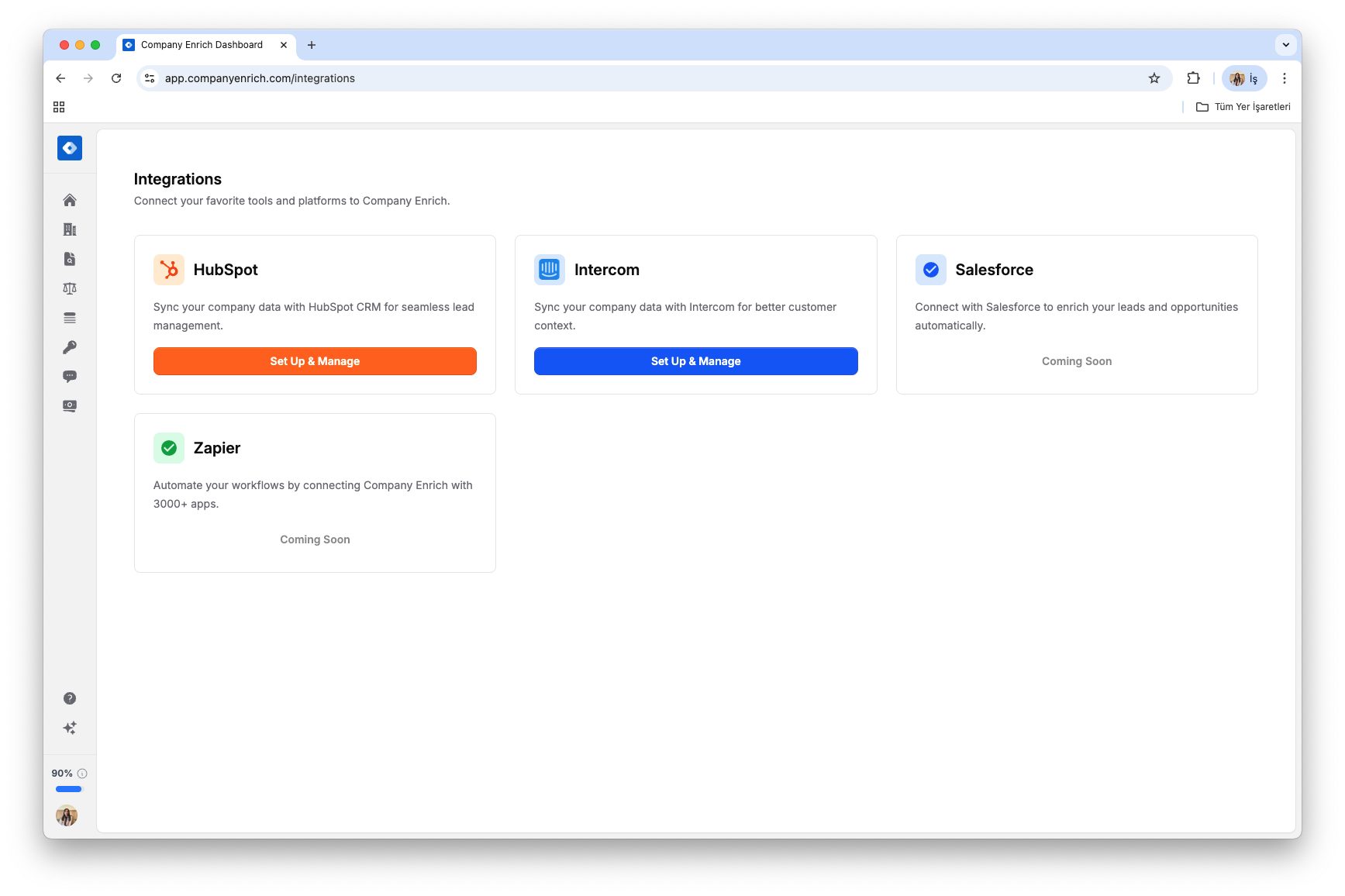
Find Intercom in the integrations list.
Click Set Up & Manage.
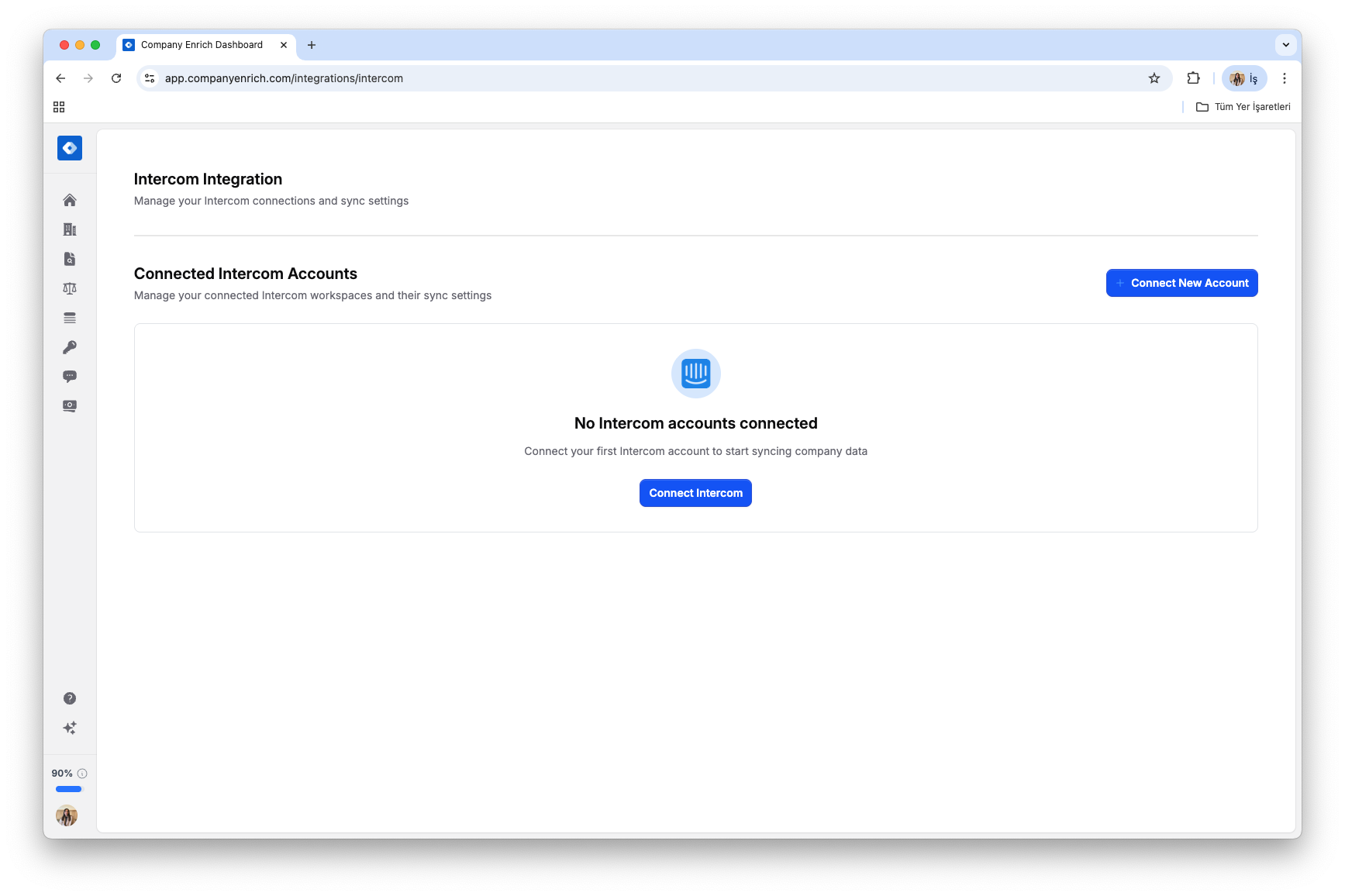
Click Connect Intercom (or Connect New Account).
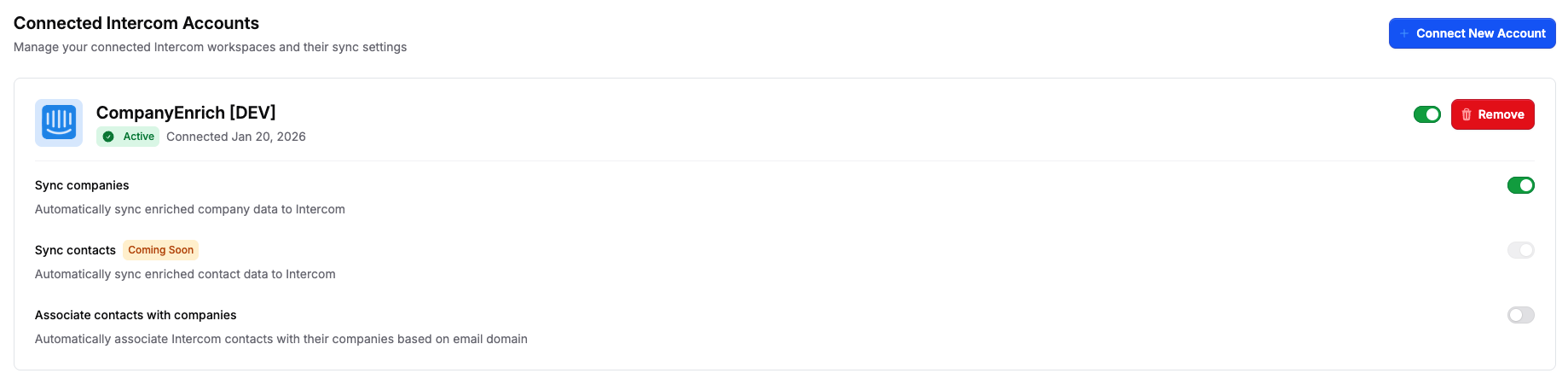
You’ll be redirected to Intercom.
Review the requested permissions and click Authorize access.
Your Intercom workspace will now be connected.
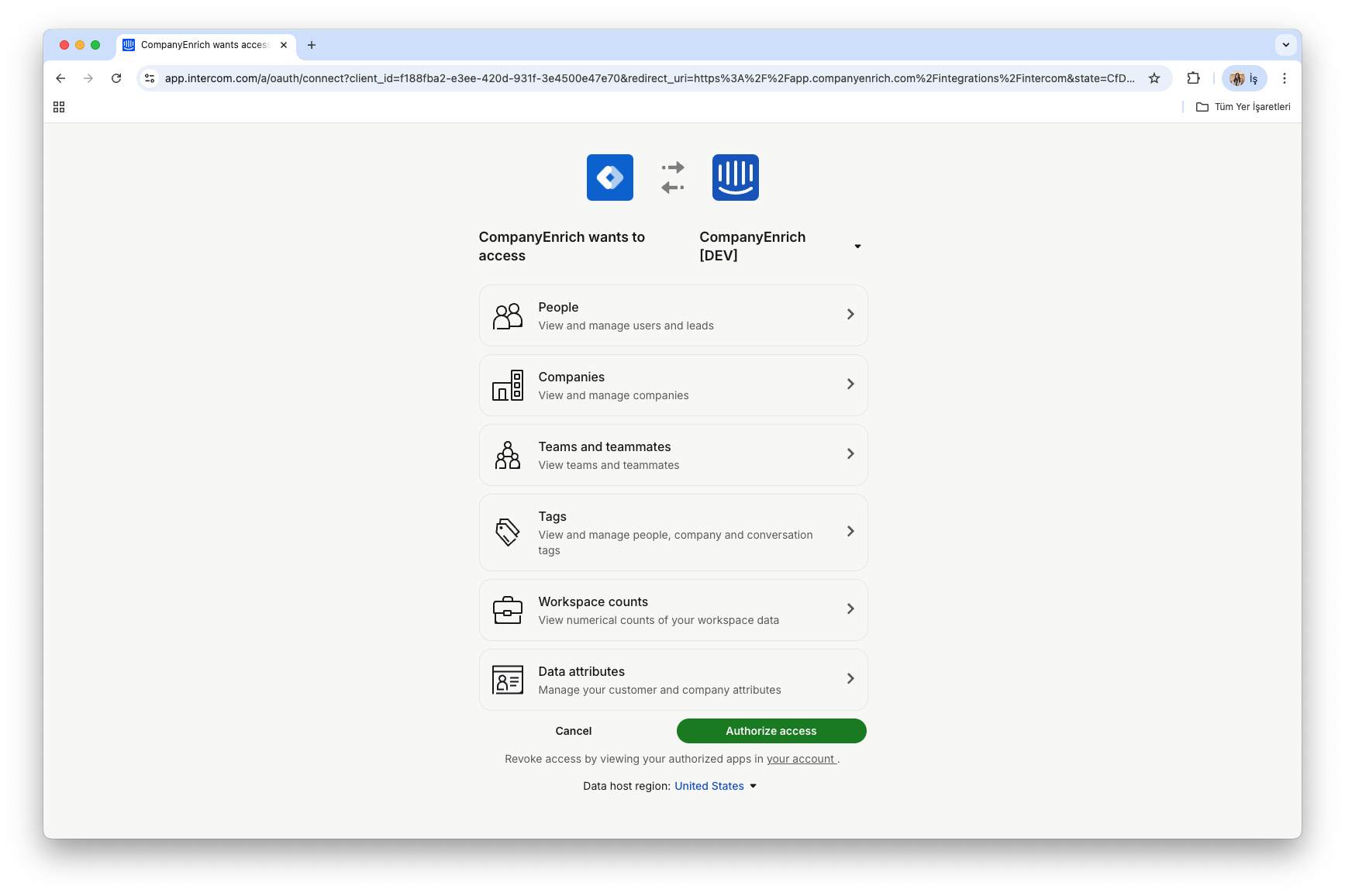
Once connected, you can turn the following actions on or off:
Sync companies
Automatically sync enriched company data to Intercom
Sync contacts (coming soon)
Automatically sync enriched contact data to Intercom
Associate contacts with companies
Automatically associate Intercom contacts with their companies based on email domain
These settings can be updated at any time.
After setup, CompanyEnrich starts sending new data attributes to Intercom automatically.
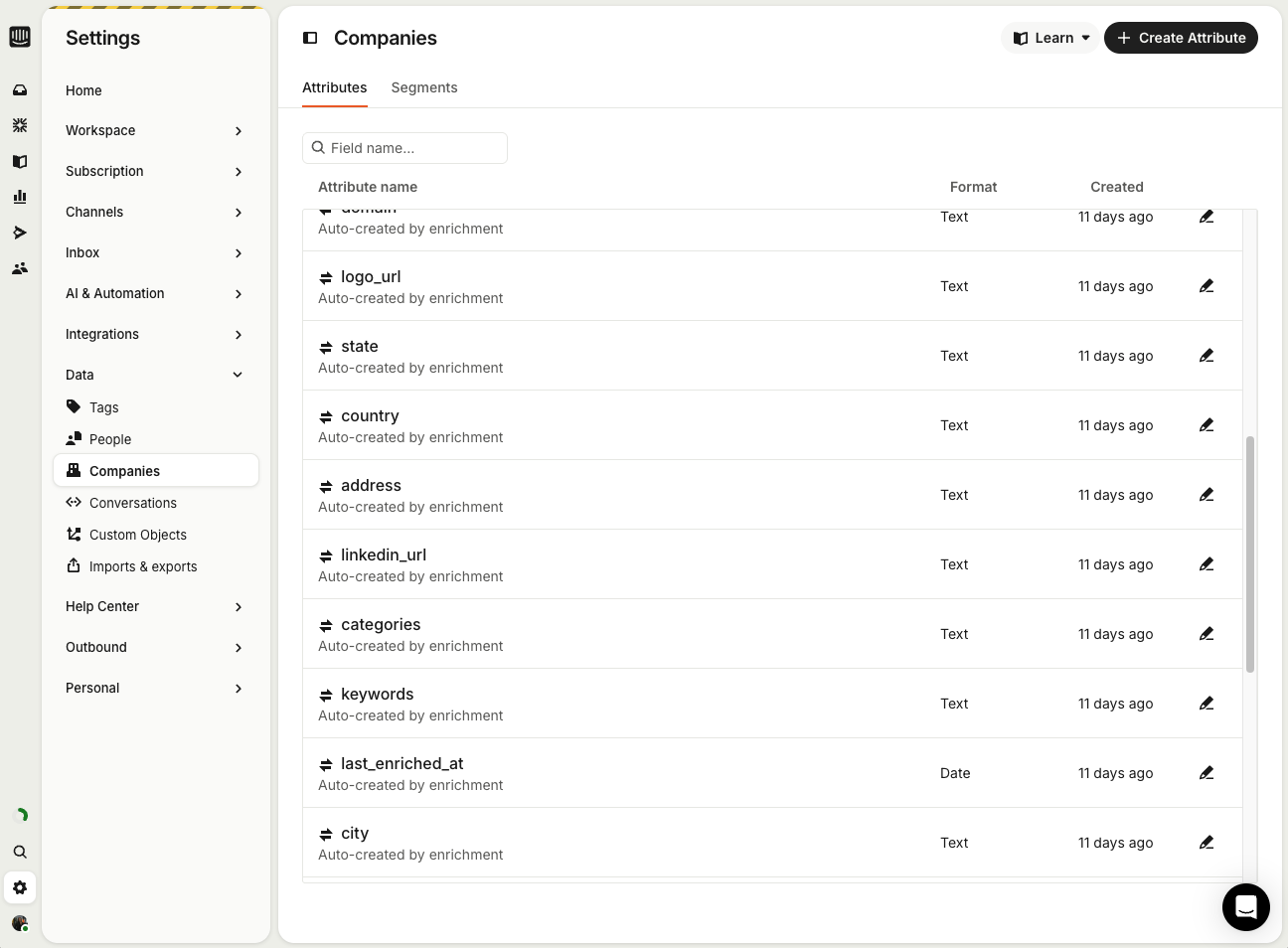
You can see enriched attributes directly in:
Company lists
Contact lists
Use them for filtering and segmentation.
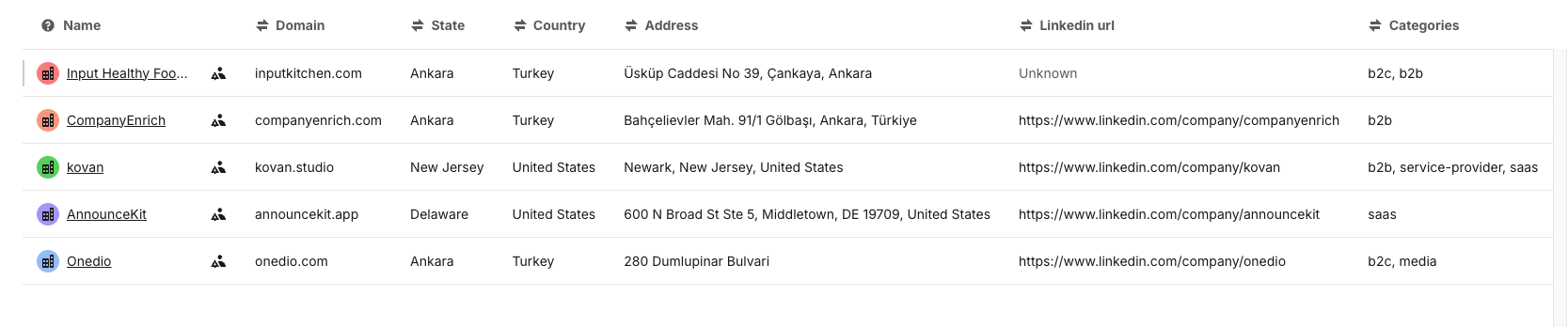
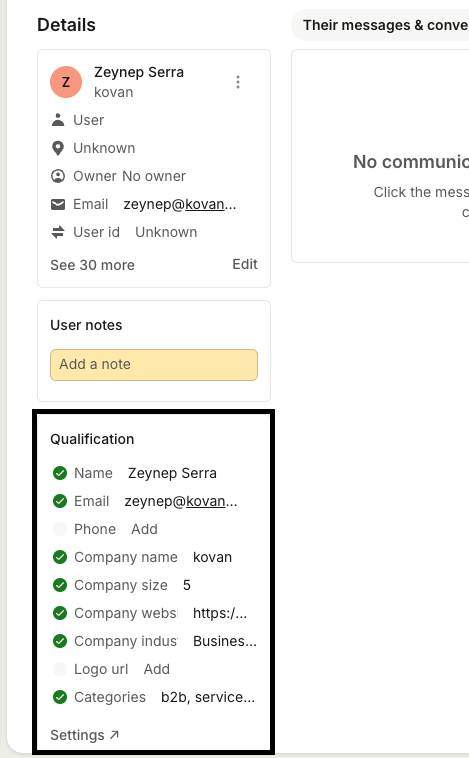
Enriched attributes also appear:
On company and contact profiles
Inside Intercom conversations
This gives your teams immediate context while chatting with users, leads, and customers.
You can also customize which qualification and enrichment data points are shown in profiles, so your teams see only the most relevant attributes when reviewing profiles or responding to conversations.
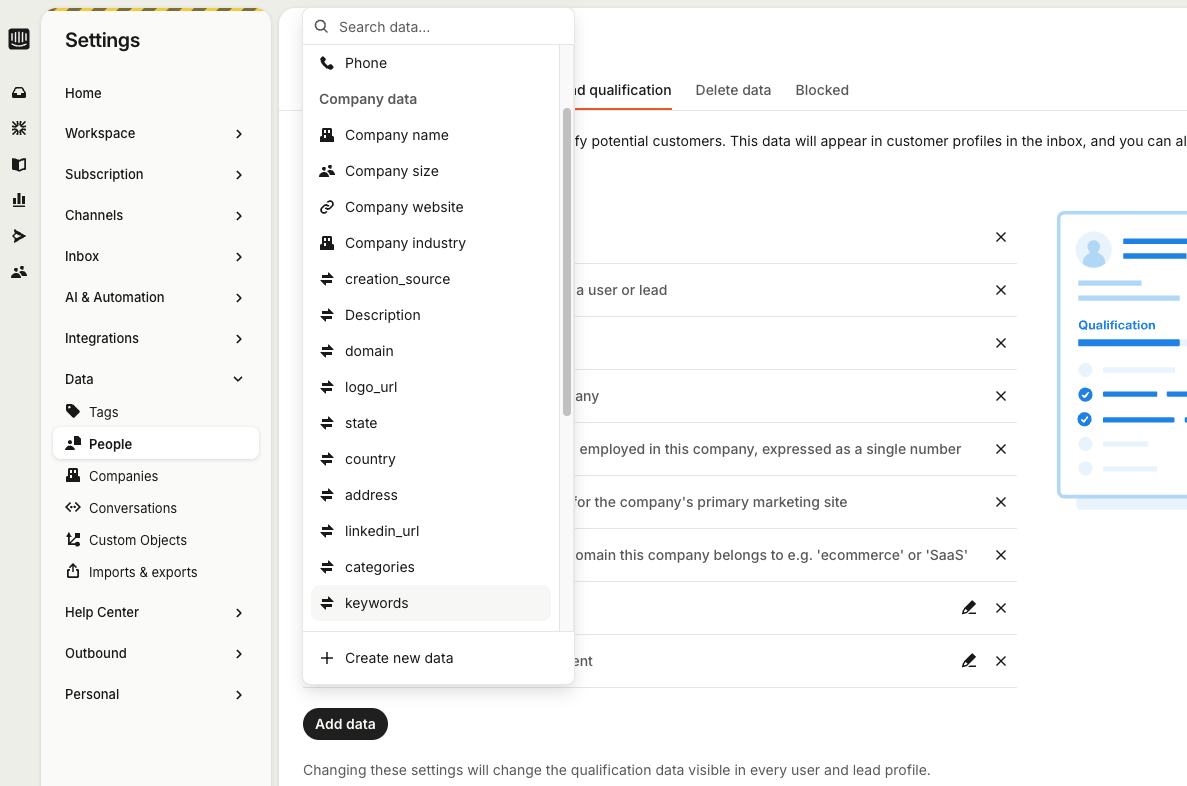
Your Intercom workspace is now enriched with 30+ company and contact data points, including company name, category, tech stack, location, industry, funding stage, and more.
Sales, marketing, and support teams can now qualify, segment, and prioritize leads directly inside Intercom using accurate, real-time data instead of working with incomplete profiles.
